Hello All, My mongodb databases are running on localhost, now I want to connect my localhost database to mongodb charts to visualize my data. For this mongodb charts is running on my localhost using docker.
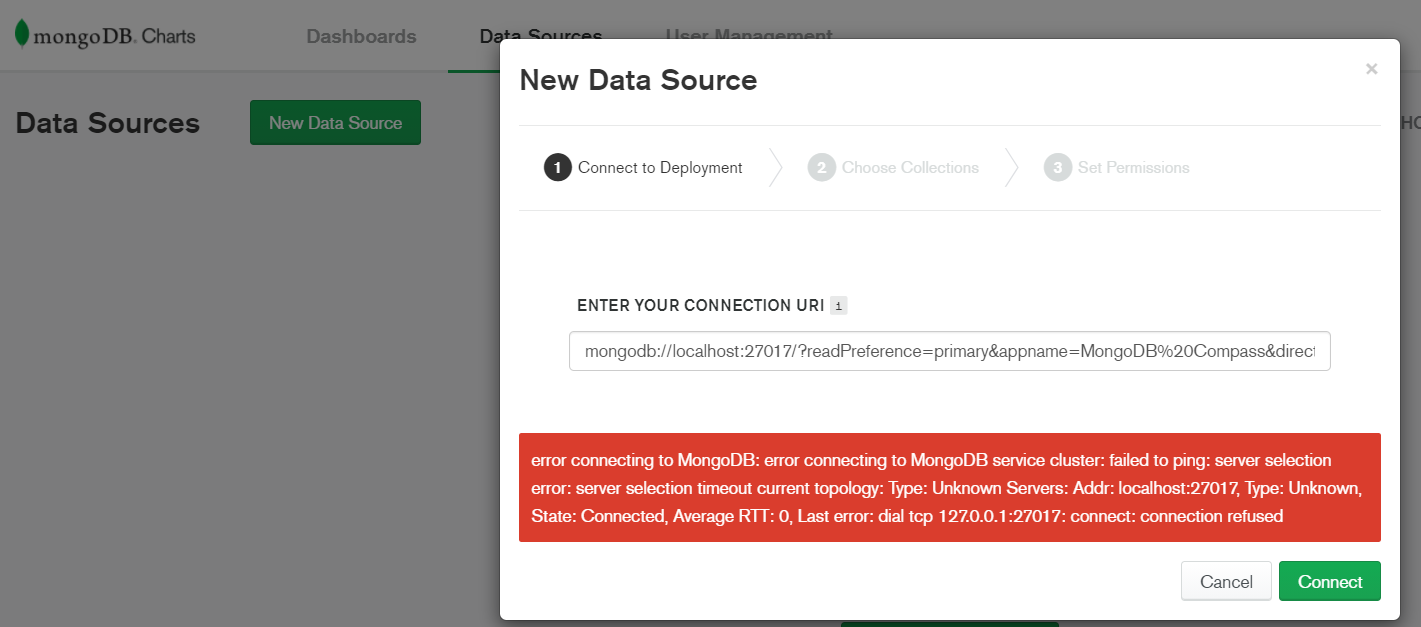
I am having problem in connection with my new data source.
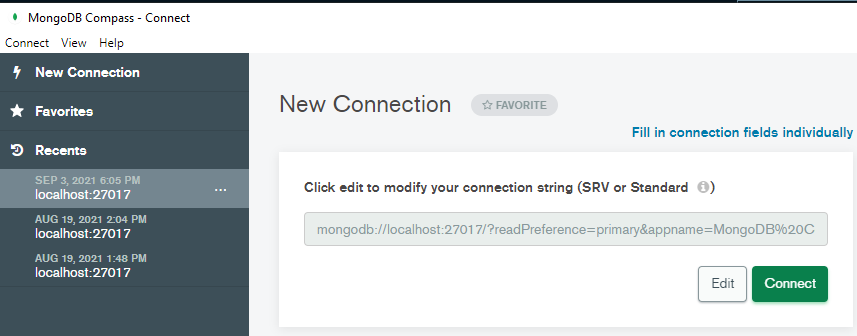
This is my connection string of my localhost, which I copied
That’s because your Docker container (charts) is deployed in a subnetwork isolated from your host network. That’s how docker works basically, it’s normal & expected.
Instead, you have to provide a direct IP address to your cluster deployed on your host. You are in the case “Standalone on the Same Host” if I read that correctly.
Also another question, Is is possible to migrate my localhost database to mongodb Atlas where I can use mongodb charts to visualize my data . I made the cluster in mongodb atlas but there seems no way to migrate my localhost database. If there is way then please let me know. Thankyou!!
The easier way is to mongodump and mongorestore the entire cluster in your Atlas cluster but this will require a downtime. As I guess you are not running a production environment on your PC, that’s probably the best & easiest solution.
You can get the command line for mongodump & mongorestore in the “Cmd Line Tools” tab in your cluster in Atlas.
You could also use the live migration tool that only requires a restart of your production backend with the new MongoDB URI to point to the new DB in Atlas. But it’s more complicated to set up.
 I believe.
 . thats true.