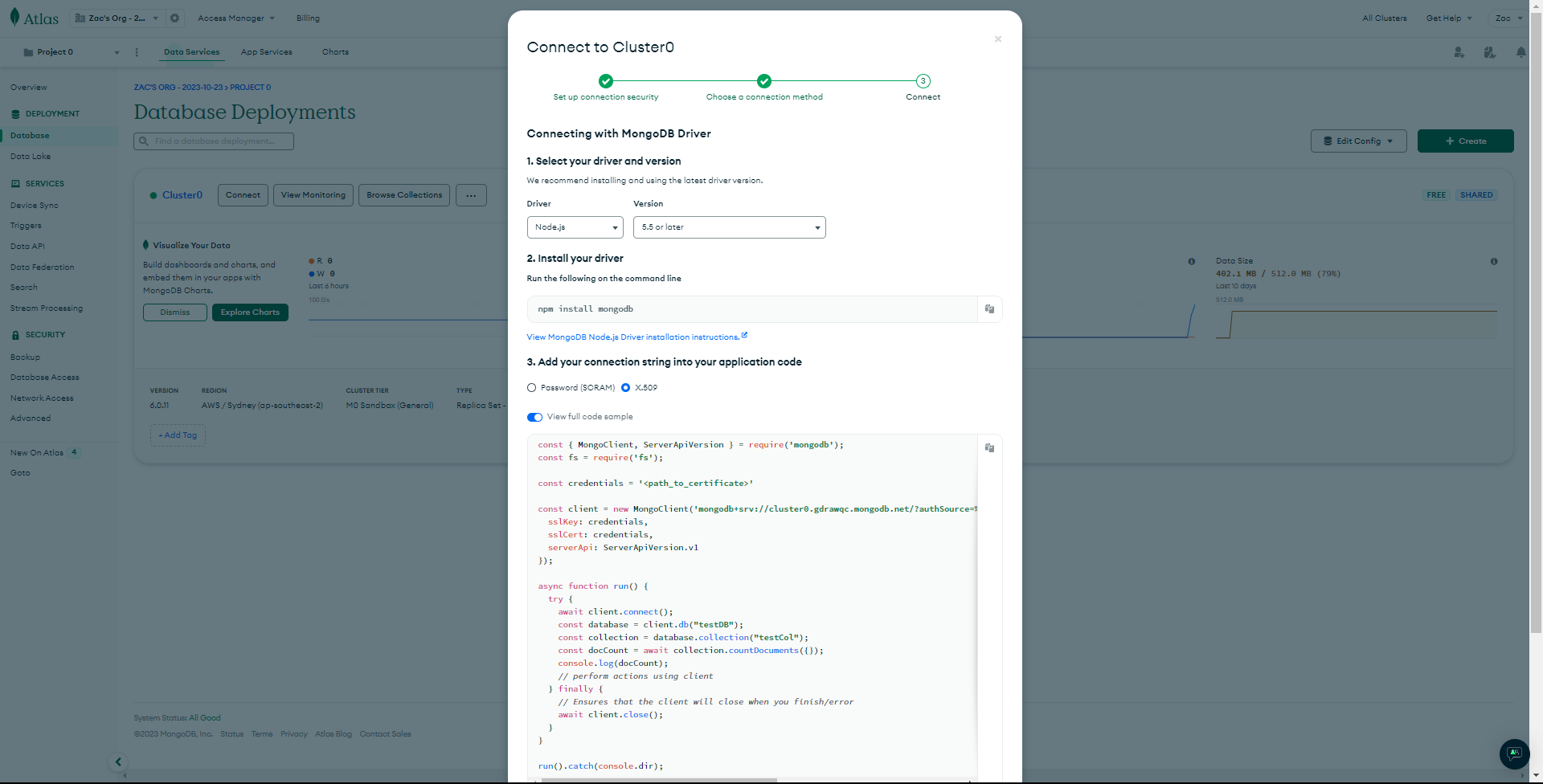
The instructions for connecting to MongoDB via X.509 are out of date. They use the deprecated options sslKey and sslCert. They have been replaced by tlsCertificateKeyFile.
Took me a day to figure that out.
The instructions for connecting to MongoDB via X.509 are out of date. They use the deprecated options sslKey and sslCert. They have been replaced by tlsCertificateKeyFile.
Took me a day to figure that out.
Hey @Zac_Twidale,
Can you share the page you found that was out of date? I believe https://www.mongodb.com/docs/drivers/node/current/fundamentals/authentication/mechanisms/#x.509 is the current page.
You are correct. Inside the documentation it is correct. Now that I know where to look and what I am looking for. The screenshot comes from the more user friendly dashboard that supposedly makes the basics easier.
Thanks for pointing that out @Zac_Twidale. We’ll get the docs updated so as to avoid this confusion.
@Zac_Twidale just to follow up we’re working to get the example in the connect modal adjusted. The sslKey and sslCert options were deprecated in v5 of the driver then removed in v6 (NODE-5376).
If anyone else comes across this post in the meantime, the correct sample code would be:
const { MongoClient } = require('mongodb');

const credentials = '<path_to_certificate>'

const client = new MongoClient('mongodb+srv://xxx.yyy.mongodb.net/?authSource=%24external&authMechanism=MONGODB-X509&retryWrites=true&w=majority', {
  tlsCertificateKeyFile: credentials
});

async function run() {
  try {
    await client.connect();
    const database = client.db("testDB");
    const collection = database.collection("testCol");
    const docCount = await collection.countDocuments({});
    console.log(docCount);
    // perform actions using client
  } finally {
    // Ensures that the client will close when you finish/error
    await client.close();
  }
}
run().catch(console.dir);