As modern applications become increasingly data-driven and AI-powered, development teams face a growing challenge: how to move quickly from idea to production without stitching together multiple tools, managing complex infrastructure, or reinventing backend workflows. Modelence offers a new approach. It is a full‑stack, AI‑native development platform that brings together every core component needed to build, run, and scale modern applications in one unified system. Whether teams want to start a new project using a traditional development workflow or prefer a vibe‑coding approach powered by its AI-native App Builder, Modelence supports both seamlessly. To show you how this works in practice, we have included two examples for each workflow that you can explore in more detail later in this blog.
At the heart of this experience is MongoDB, the only and default database powering every Modelence application. This means developers get a consistent, scalable data foundation without needing to configure or maintain separate database services.
Even better: Modelence is designed around MongoDB best practices, so every application—whether generated by the App Builder or written manually—automatically follows production‑ready patterns.
Modelence: A single platform for local and cloud deployment
Modelence is a full‑stack platform purpose-built for rapidly building and deploying applications that blend traditional logic with AI-driven workflows. It eliminates the complexity of integrating separate tools, providing everything developers need out of the box:
Authentication
Database (powered by MongoDB)
Live data and event systems
Built‑in monitoring
API endpoints
Cron jobs
Deployment infrastructure
All of these components work together cohesively, enabling developers to focus on product logic rather than managing infrastructure.
One of the strongest value propositions of Modelence is its ability to seamlessly move from local development to cloud deployment. Developers can prototype and run applications entirely on their local machine and, when ready, deploy the exact same project to Modelence Cloud—without configuration changes, without adding new tools, and without integrating new services. This consistency drastically simplifies the path from experimentation to production.
MongoDB: The natural choice for Modelence
Modelence is built around MongoDB for several key reasons:
Flexible document model for applications
Integrated vector search for AI and RAG workflows without requiring a separate vector store
Effortless scalability
Developer-friendly ecosystem and drivers that align naturally with the Modelence platform
Developers do not need to worry about schema design, indexing strategies, projection patterns, or vector search tuning. Modelence handles all of this automatically, particularly when generating applications through its App Builder.
The Modelence App Builder
The App Builder is the centerpiece of the Modelence platform. More than just a code generator, it is an AI‑native development engine that converts natural‑language prompts into complete applications: with backend services, frontend UI, database models, and AI workflows included.
When the App Builder generates your application, it automatically embeds MongoDB best practices into your models, queries, indexes, and vector search collections. This ensures that from the very first iteration, your application is production-grade and follows proven patterns.
Practical examples
To illustrate how Modelence simplifies the path from idea to production, here are two practical examples. These demonstrate how to prototype an AI‑enhanced full‑stack application and how to deploy to the cloud using the platform’s built‑in tooling.
Example 1: Rapid application prototyping with the AI-native App Builder
To demonstrate how Modelence speeds up early‑stage development, let’s walk through the process of creating a full‑stack application using the App Builder. The App Builder enables developers to generate an initial application simply by describing it in natural language, and then refine it step by step.
Here is how to get started:
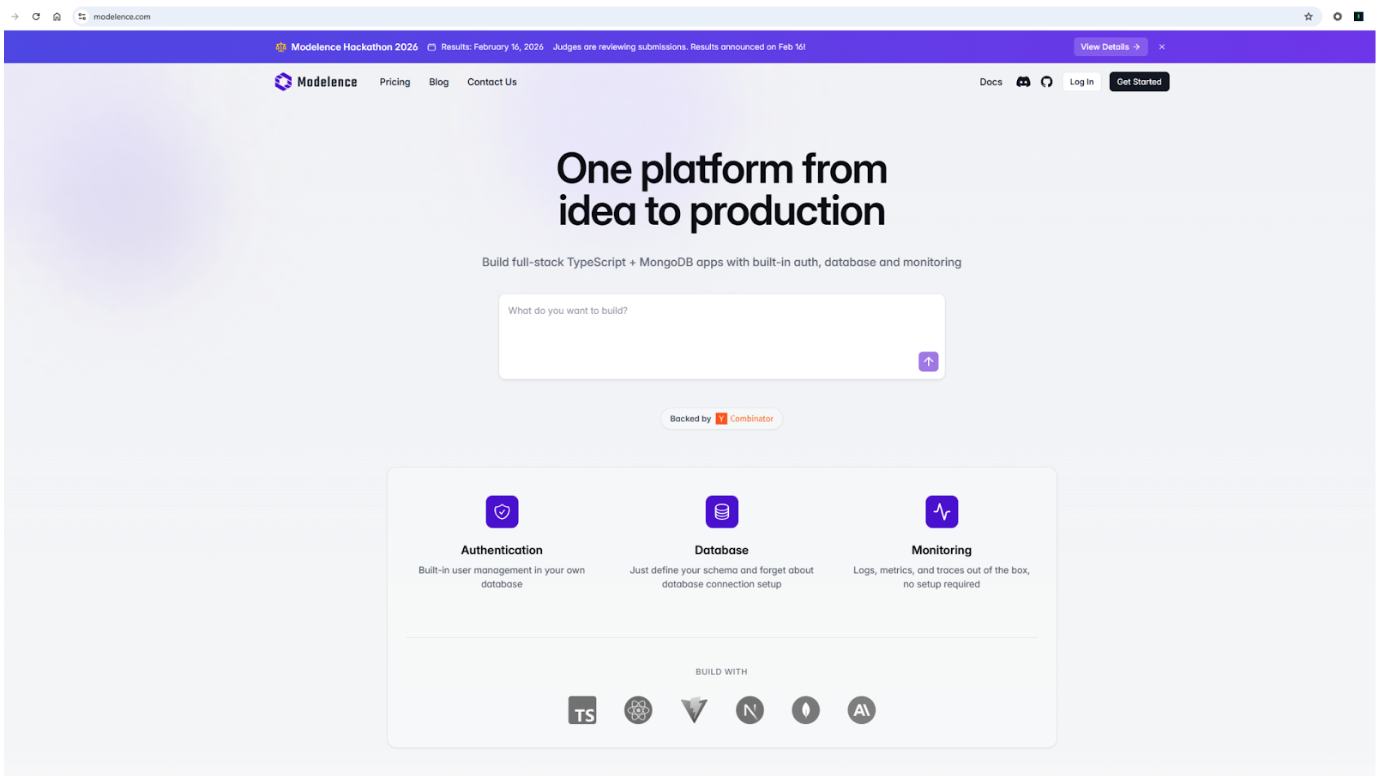
Step 1: Go to the Modelence website.
Step 2: On the landing page, find the text input field, where you can describe the application you want to build.
Step 3: Enter a short description of your desired app. For example: “Create a full‑stack Pet Store application.”
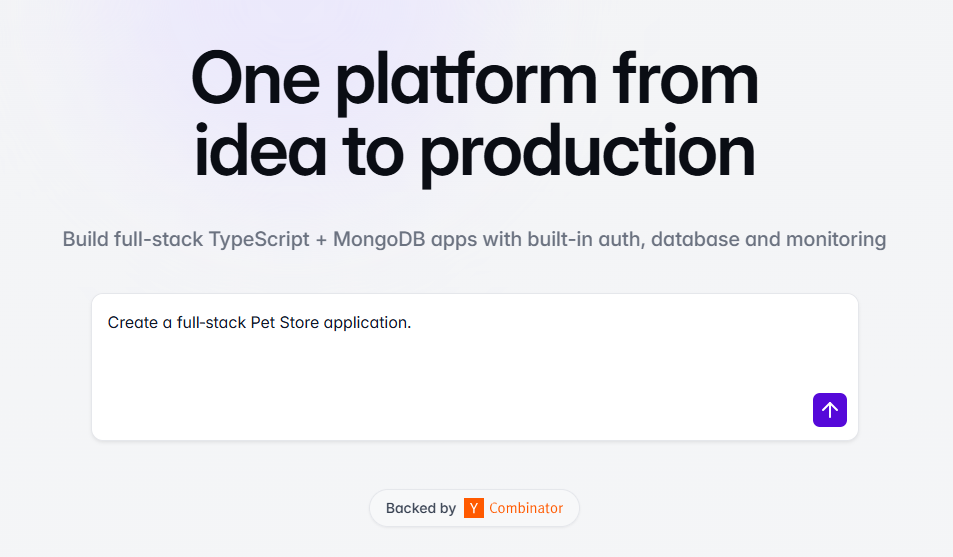
Step 4: Click the purple arrow to proceed to the next step.
Step 5: Use the prompt to create an account or to log in if you already have one.
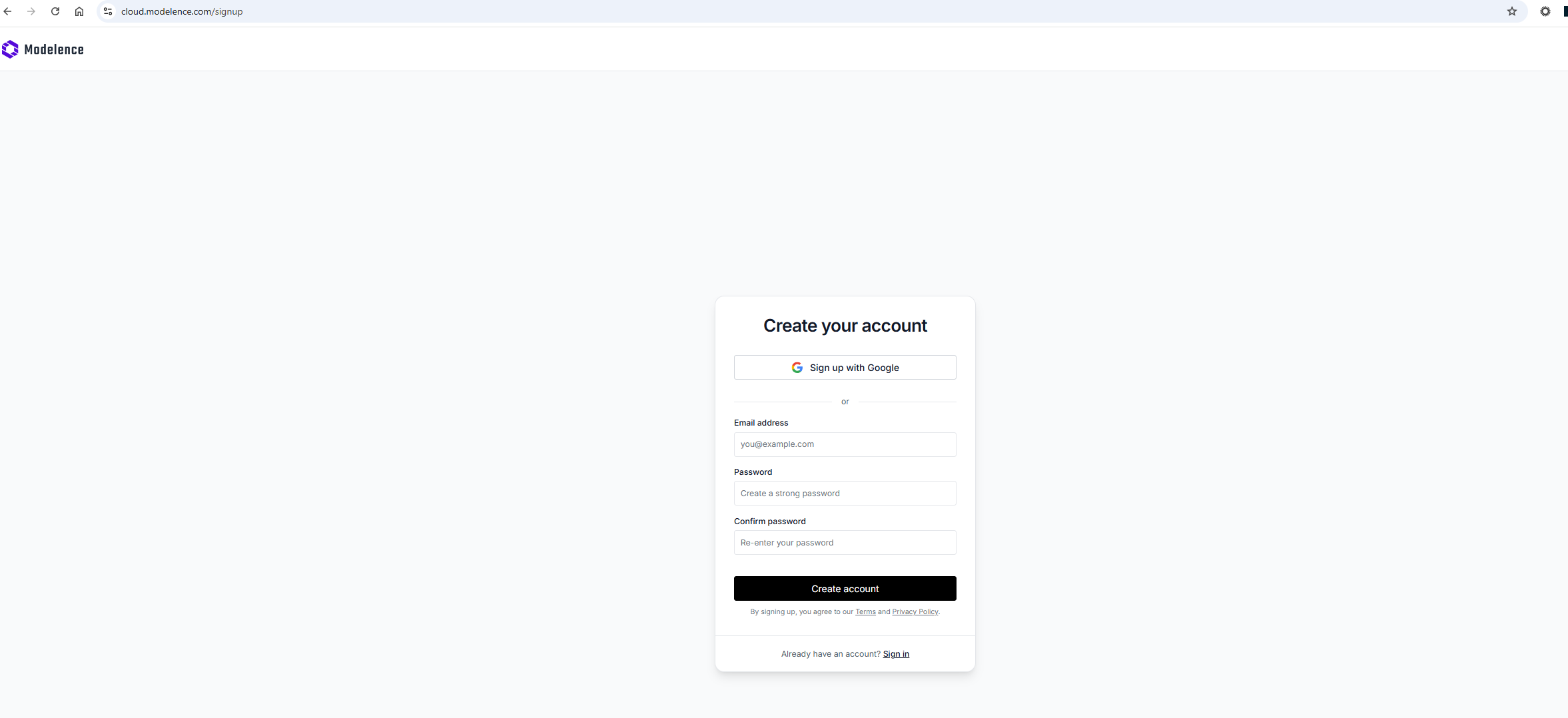
Step 6: After logging in, confirm your input.

Step 7: Wait as Modelence begins generating your application automatically, starting by setting up your MongoDB database.
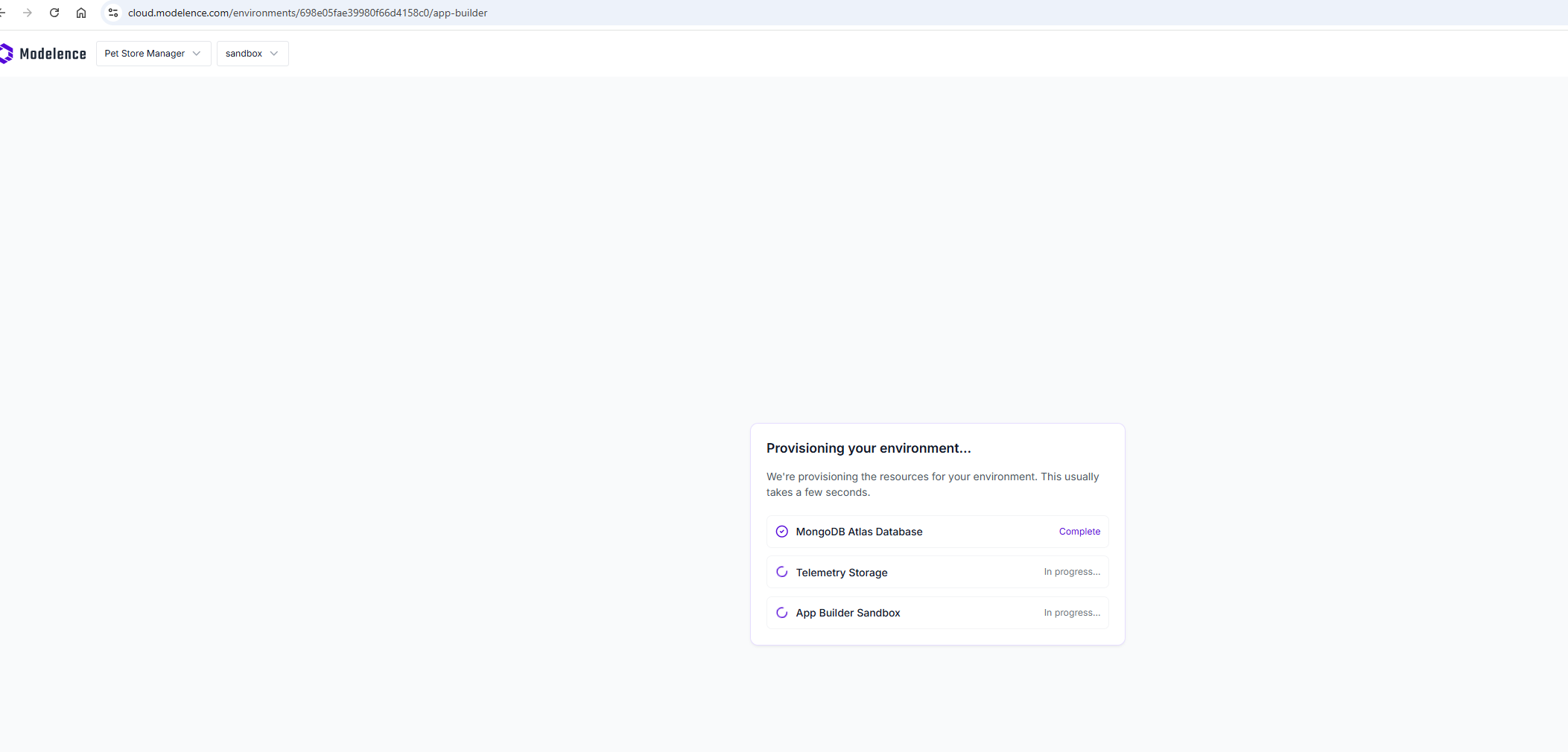
Step 8: Finally, use the interface to refine your application, using natural‑language prompts and changing between code view and preview.
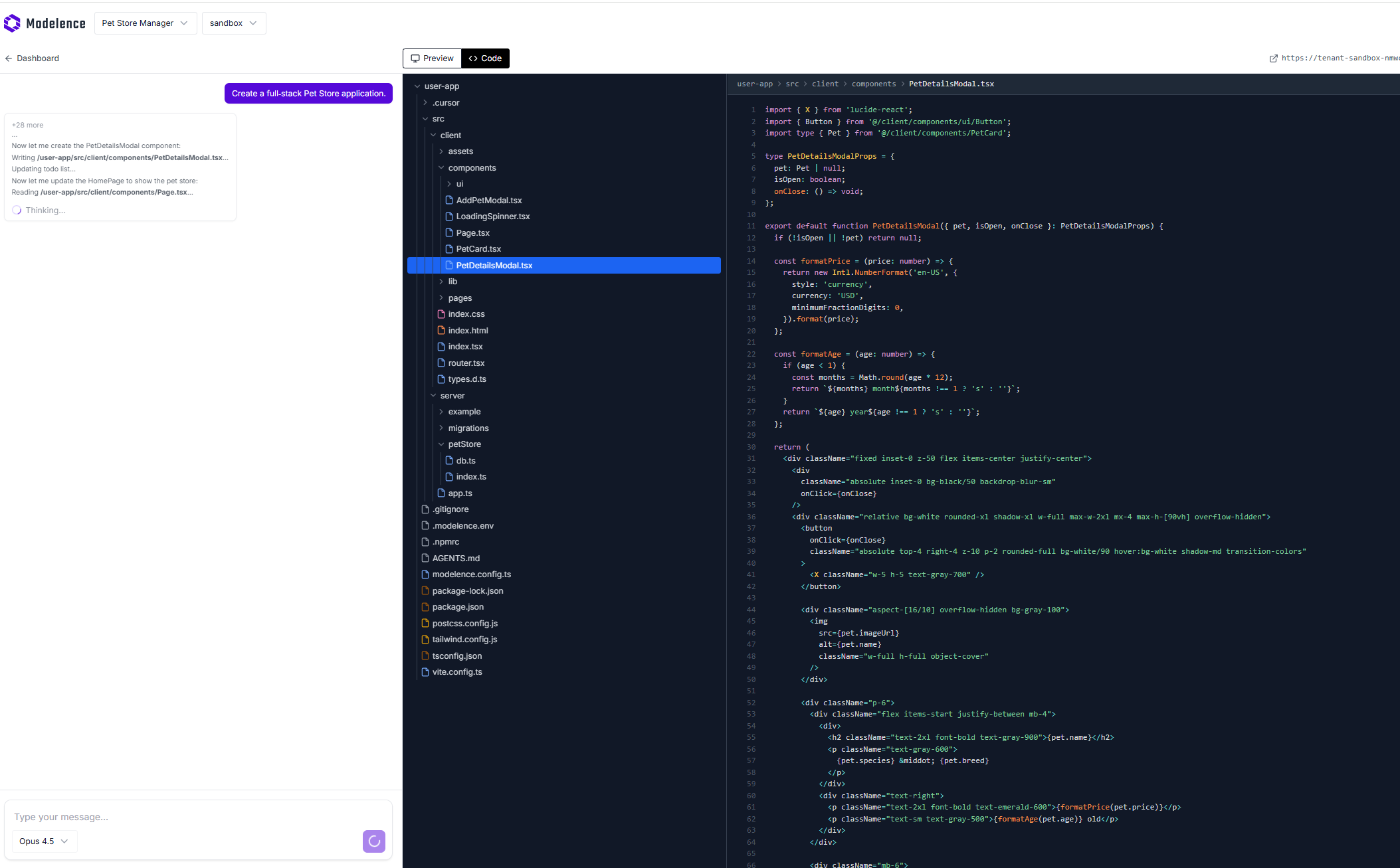
The App Builder produces a complete starting point for your project, including:
A ready-to-use React UI
Backend routes and logic
MongoDB models
Environment setup
A cloud deployment that works out of the box
This enables teams to immediately experiment with their application, adjust prompts, and iterate quickly without needing to configure infrastructure, build pipelines, or connect a database manually.
Example 2: Deploying a full‑stack solution to Modelence Cloud
Modelence makes deployment straightforward and consistent across all projects. Developers can take a locally running project and deploy it to production in minutes.
Step 1: Go to the Modelence website.
Step 2: Click on the “Get Started” button.
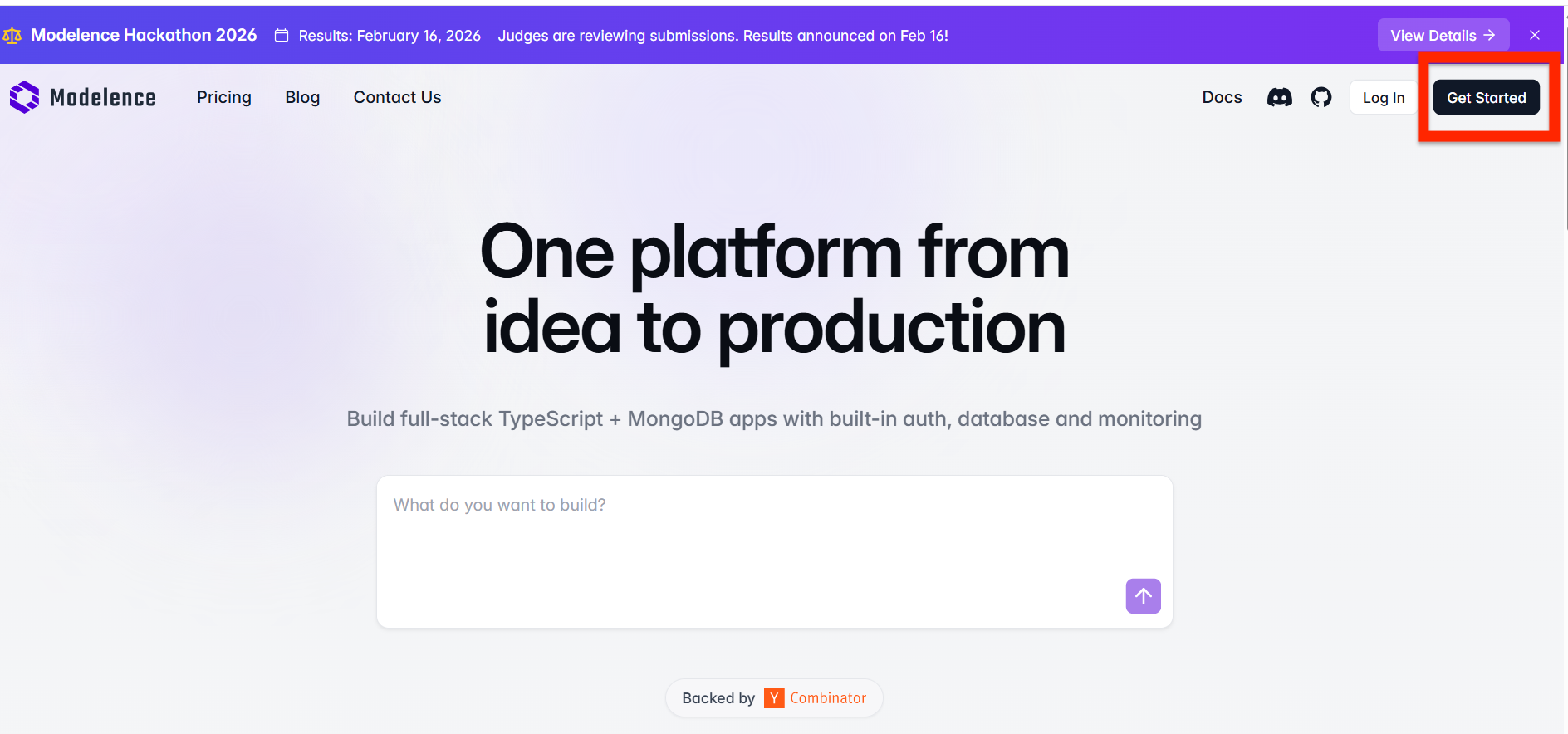
Step 3: Use the prompt to create an account or to log in if you already have one.
.png)
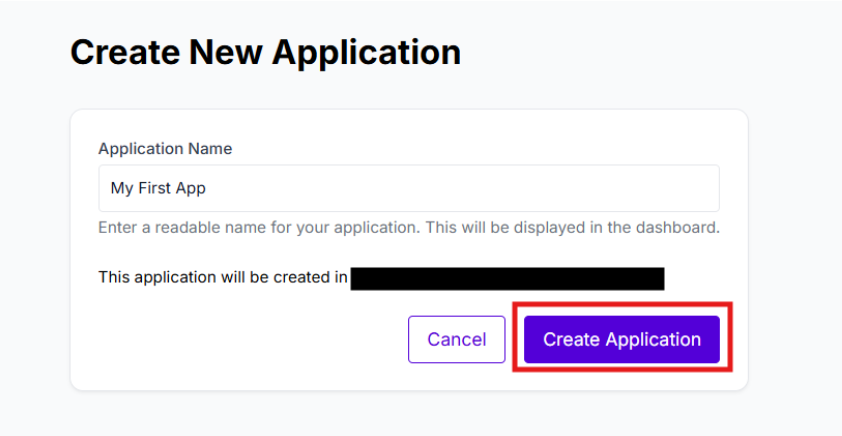
Step 4: In the Modelence Cloud Applications page, click on “Create Application.”

Step 5: Provide a name for your application. Subsequently, click on “Create Application.”
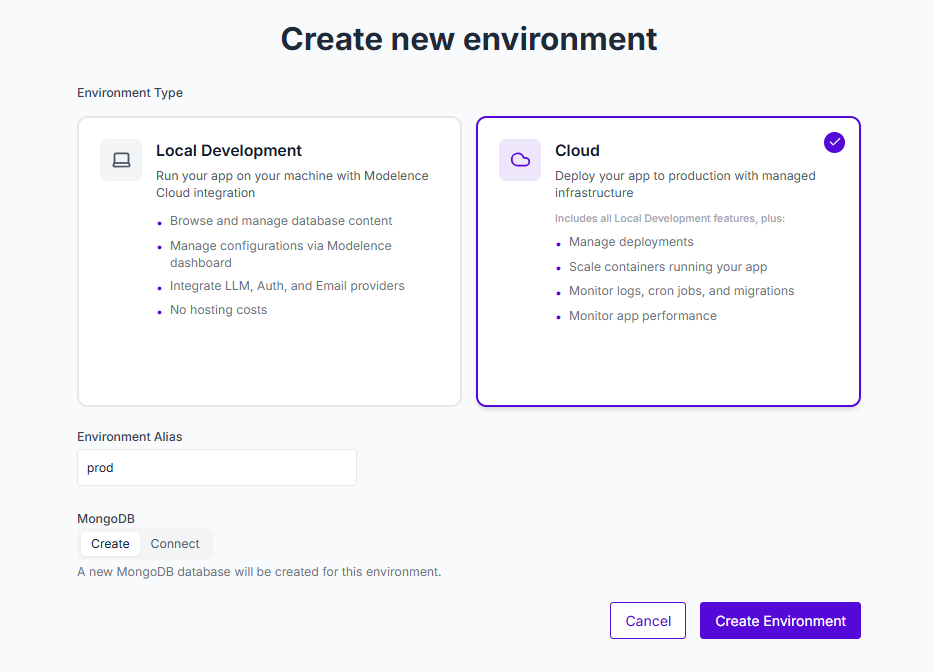
Step 6: Next, when given the choice between local deployment, which executes the application on your machine, or cloud deployment, which provides a managed infrastructure, please choose the “Cloud” option.
Step 7: If you already have a MongoDB Atlas cluster, provide the connection string. If not, Modelence will create a new one for you. For this specific step, select the “Create” option, and then click “Create Environment” to finish the process.
Step 8: Confirm that all environment components have been successfully provisioned by checking the “Environment” tab of your application.
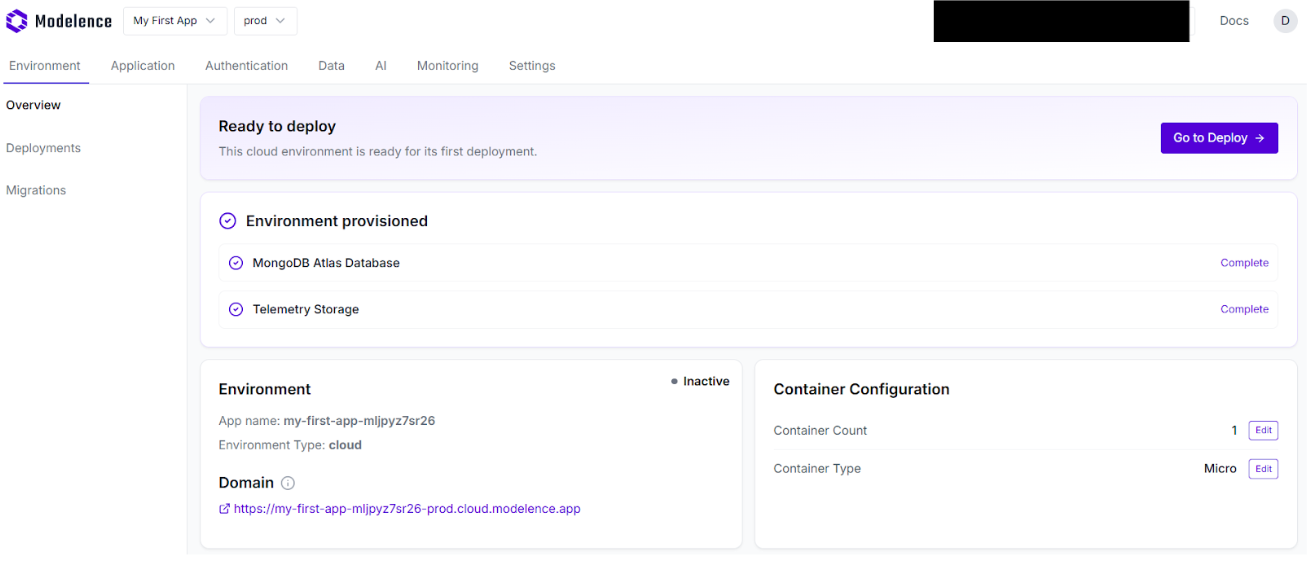
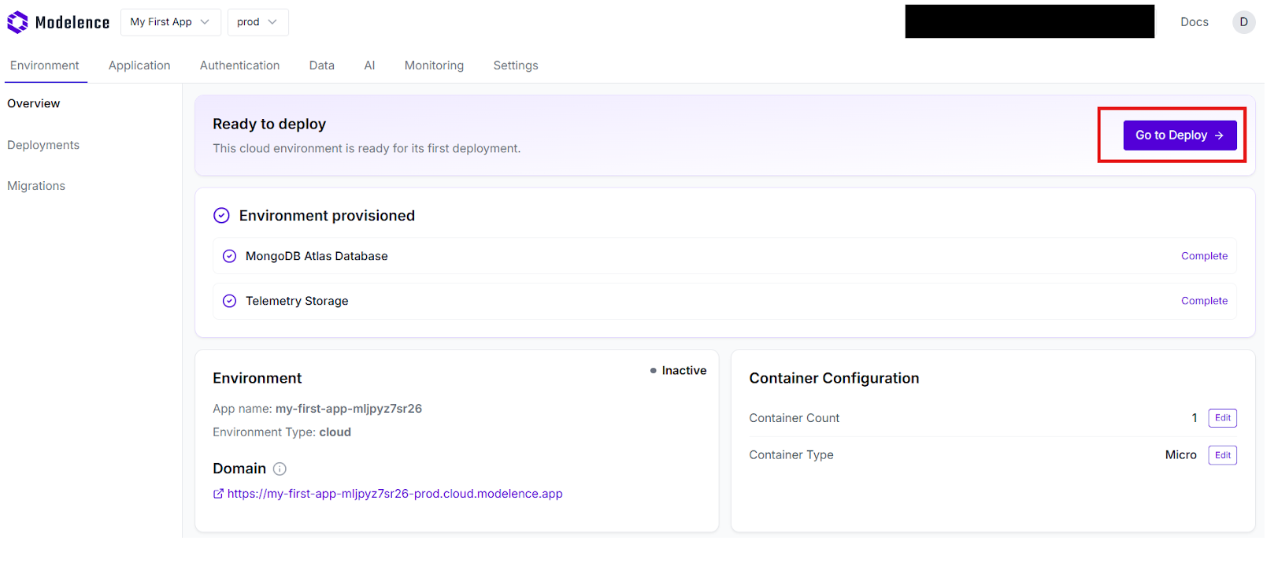
Step 9: Next, click “Go to Deploy” and proceed with the steps to deploy the demo application.
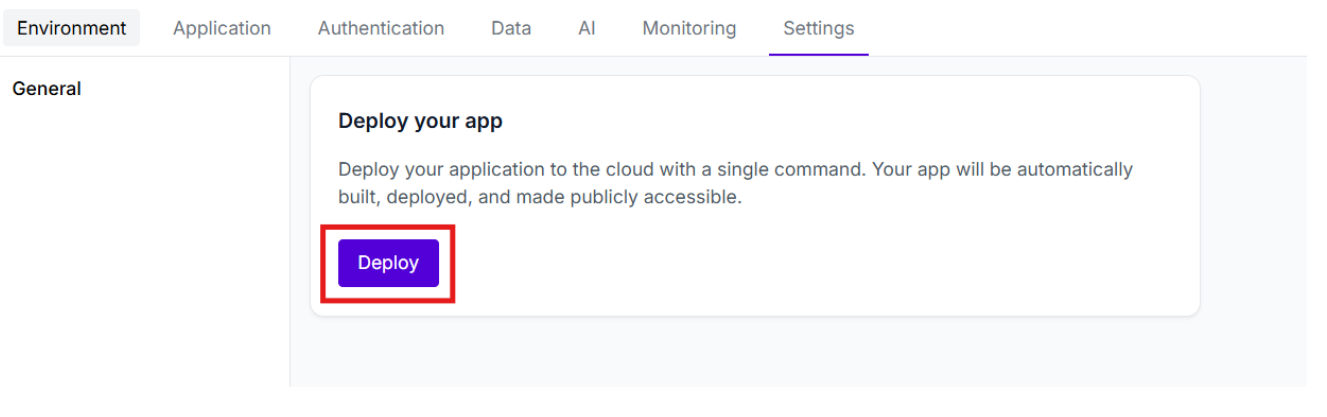
Step 10: When this takes you to the “Settings” tab, click “Deploy.”
Step 11: From the first option, choose “AI Chat” or the specific application you want to explore, then proceed by following the instructions presented in the user interface.
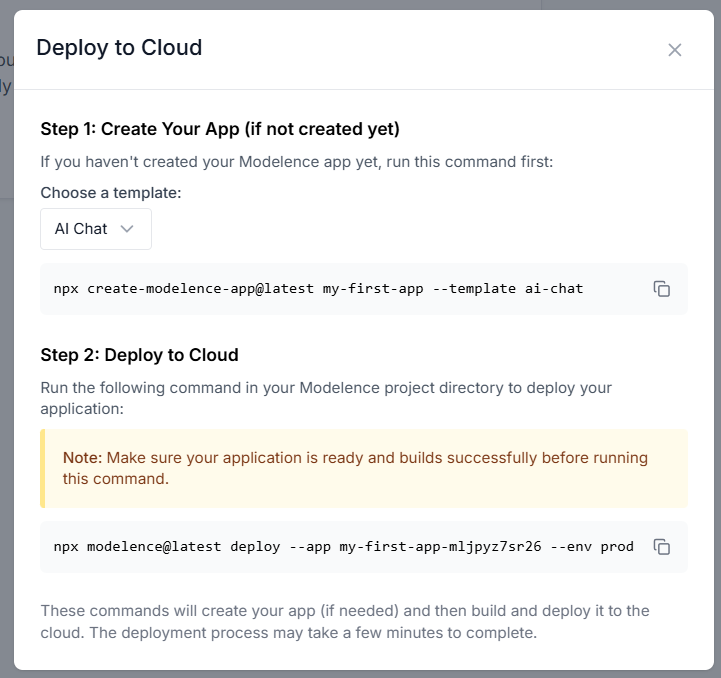
Step 12: Once all preceding commands have been successfully executed, monitor the status of your current deployment by navigating to “Modelence Cloud”, then the “Environments” tab, and finally, “Deployments”.
Your application is now running in Modelence Cloud with MongoDB backing all data. No extra configuration. No additional services. No infrastructure overhead.
To view the data stored in MongoDB Atlas, locate your connection string in the “System Configurations” section, accessible via the “Application” tab, under “Configuration”.
Conclusion: A streamlined path from idea to production
Modelence brings together everything needed to build modern, full‑stack, AI‑native applications in one unified platform. With MongoDB as the underlying data engine, developers get a scalable, flexible, and highly performant foundation without extra setup or complexity. From local development to cloud deployment, Modelence simplifies the entire application lifecycle.
Next Steps
Take the next step in building full‑stack AI applications on Modelence. Explore the Modelence docs, try the App Builder, and deploy your first cloud application using the examples from this article.