Step-by-Step Guide for Auto-Incrementing a Field in MongoDB Atlas Using a JavaScript Function
We will implement auto-increment functionality using Triggers in MongoDB Atlas. Triggers allow you to schedule the execution of server-side logic or execute it in response to database events. Learn more about what database triggers are.
Create Collections
For this approach, you need at least two collections.
The first collection will hold the details of students; hence we will name it students. Run the following command to create a students collection.
The second collection will hold the current unique identifier value for the students. Let’s name it counters. Run the following command to create a counters collection.
Create Trigger
To implement triggers for auto-increment, log into your MongoDB Atlas account, open the right navigation panel, and click on Triggers.
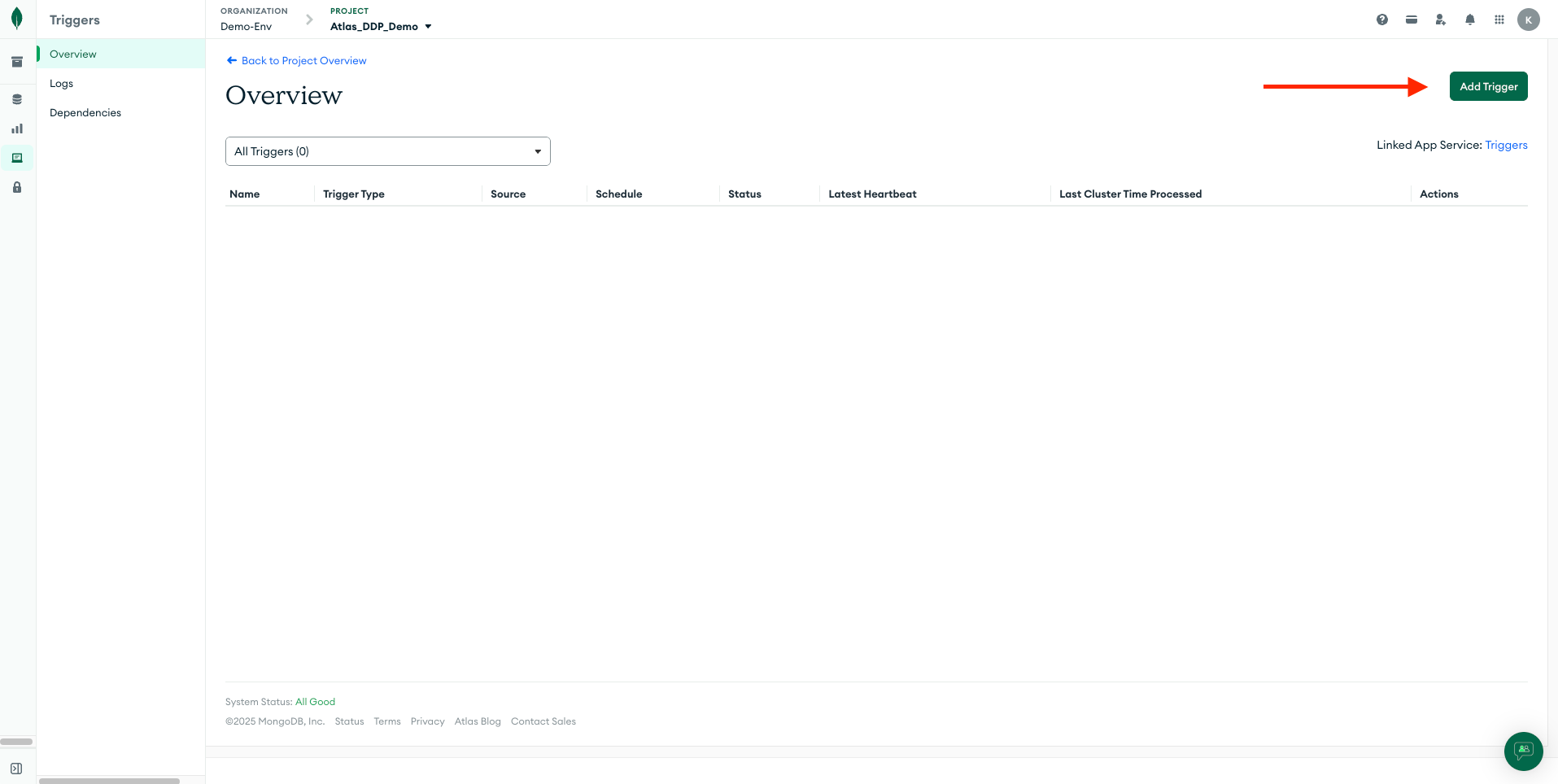
Click on Add Trigger and set the following values to the corresponding fields.
- Trigger Type : Database
- Name : Auto_Increment_Trigger
- Enabled : ON
- Event Overriding : ON
- Link Data Sources(s) :
- Cluster Name :
- Database Name :
- Collection Name : students
- Operation Type : Insert
- Full Document : ON
- Select An Event Type : Function
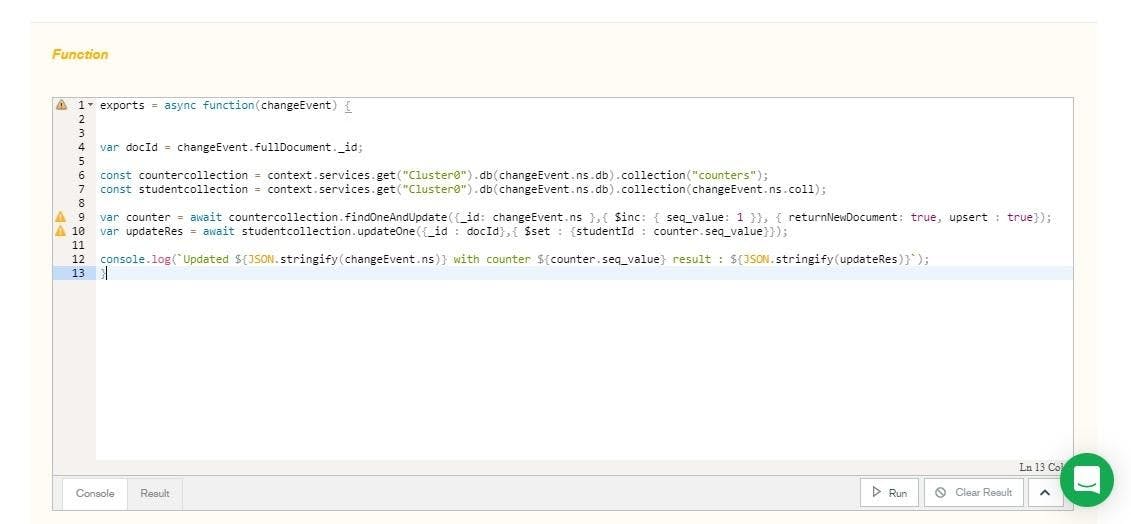
In the Function field, add the following code.
- Replace with your cluster service name.
Your code should look like this.
Click Save to save the trigger.
Run Trigger
In the above code, we have first initialized the counters collection and defined an insert event trigger for the students collection. When you insert a document into the students collection, the trigger function executes, which updates the seq_value field in the counters collection and adds the seq_value to the students collection as studentId field.
The mongodb inc operator increments a field by the specified value (1 in our case). The returnNewDocument parameter, when set to true, atomically returns an incremented number, while the upsert parameter, when set to true, adds a new studentId counter if the current namespace doesn’t have it.
To see the trigger in action, run the following commands to insert a few documents into the students collection.
Run the following code to ensure the results are consistent.
Once the code execution is complete, you will get the following results.
You can also view the results graphically in MongoDB Atlas by traversing to the students collection.
To check the document in the counters collection, run the following code.
You will get the following results.
Notice the value of seq_value field in the counters collection. It has increased to 3 from 0, as we have inserted 3 documents into the students collection.
.png)